04 — Ask about photosShow it a photo.
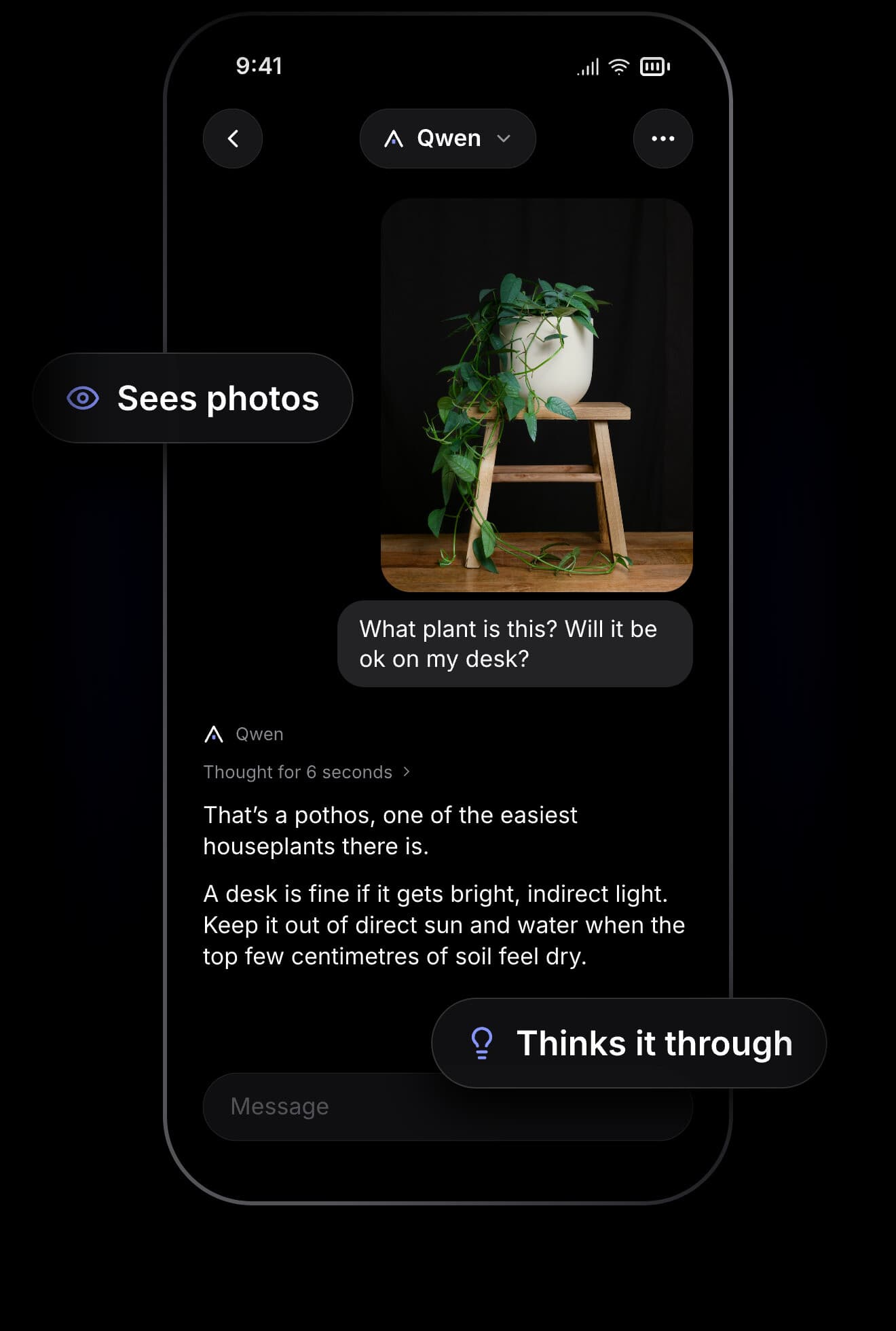
Snap a plant, a menu, a sign or a fridge full of leftovers. It looks closely, thinks it through, then answers.

An AI that lives on your iPhone. Ask, write, plan and show it photos, even in Airplane Mode. Nothing you type ever leaves it.
Not in a data centre, not on someone else’s server. Cabin AI answers from right there in your pocket: on a plane, in the hills, in a basement with one bar.
Landing in Tokyo at 6am with no data till I get a SIM. Give me the three phrases I’ll need most.
Built-in
Three that go a long way:
Perfect. Now something I can show a taxi driver. Hotel Gracery Shinjuku.
Built-in
Show the driver this:
ホテルグレイスリー新宿まで
お願いします。
“To Hotel Gracery Shinjuku, please.”
CopyThe best places have no bars. Cabin AI doesn’t need them. Your questions, drafts and photos stay on your iPhone, because there’s nowhere else for them to go.





Every model is a cabin, and its window shows its light. Invite Qwen, Gemma or Ministral to move in, then switch any time, even mid-chat. The new one reads what came before and carries on.
Made by Apple
Included · ready instantly
Careful thinker
Thinks it through · 2.7 GB
All-rounder
Sees photos · 2.49 GB
Fast and light
Quick replies · 2.15 GB
Snap a plant, a menu, a sign or a fridge full of leftovers. It looks closely, thinks it through, then answers.
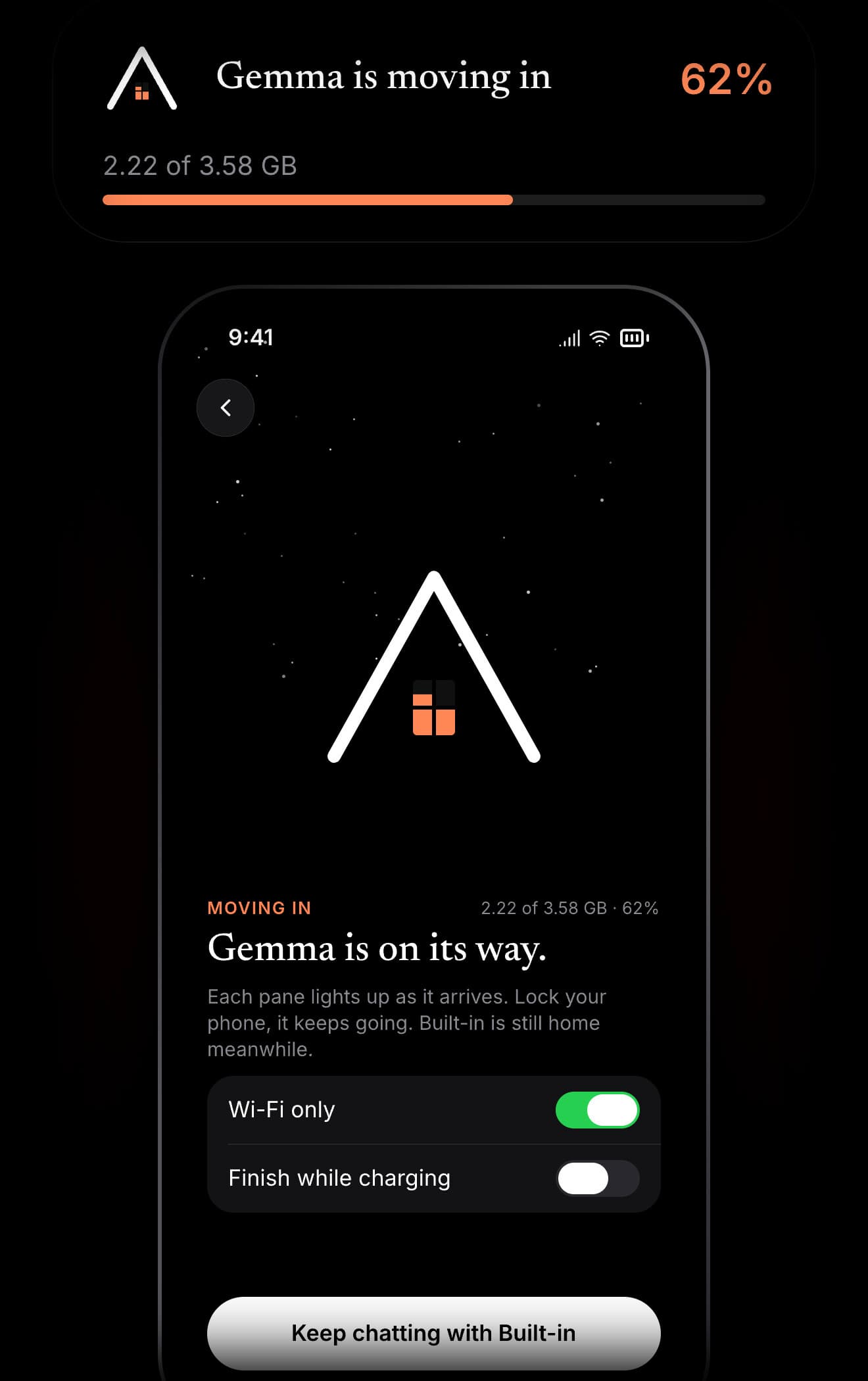
Models download in the background while you keep chatting. Each pane lights up as it arrives, right in your Dynamic Island.
Most AI apps rent you time on someone else’s computers, so they bill you every month. Cabin AI runs on the iPhone you already own. No servers to pay for means nothing to pass on to you.
$0Free to download.
Free to keep using.

Cabin AI
Receipt · Today
Come in. The light’s on.
The only time Cabin AI touches the internet is to download a model you asked for. Everything else stays on your iPhone until you delete it.
Open it and start. No email, no sign-in, no profile.
Nothing to sell you, and no one to sell you to.
No analytics, no crash reporters, no identifiers.
Your chats are yours. Take them all with you.
Still curious? Write to us.
Yes. No subscription, no in-app purchases, no ads. Cabin AI runs on your iPhone rather than on servers we pay for, so there’s nothing to charge you for, and your data was never the price.
iPhone 12 Pro, iPhone 13 Pro, and iPhone 14 or later. Cabin AI checks your iPhone before anything downloads, and only shows models it can comfortably run.
Not with Apple Intelligence on. You start chatting with Apple’s built-in model the moment you open it. Without it, Cabin AI fetches Qwen Mini (1.75 GB) first.
Yes. Turn on Airplane Mode and ask away. The internet is only used to download the models you choose, from Hugging Face.
A few gigabytes each. Downloads run in the background, on Wi-Fi only if you like, and you can keep chatting meanwhile.
Your own AI, on your own iPhone. Free, and ready in seconds.

Free · Requires iOS 26 · iPhone 12 Pro, 13 Pro, 14 or later · No account · Data Not Collected